How PAX ERP Protects Your Data: Security, Backups, and Infrastructure Explained
Switching from spreadsheets or an on-premise server to a cloud ERP means trusting someone else with your inventory, your pricing, and your customer data. Before you do that, you should know exactly what is running under the hood.
This post walks through the actual infrastructure behind PAX. No marketing fluff. Just what we run, how we back it up, and where we are headed next.
Where Your Data Lives
PAX runs on Amazon Web Services. Specifically, your database sits on Amazon RDS, which is AWS's managed PostgreSQL service. Your data stays in the US East (Ohio) region. If you are on the Pacific coast, don't worry. We thoroughly test loading speeds across the continental US, and if anywhere takes more than a second to load, we will add more server regions and better availability.
We chose RDS over managing our own database server for one reason: AWS handles the hard parts better than we can. Patching, hardware failures, disk management. AWS maintains a 99.95% uptime SLA on RDS and has dedicated infrastructure teams working around the clock. That lets us focus on building the ERP features that actually matter to your shop floor.
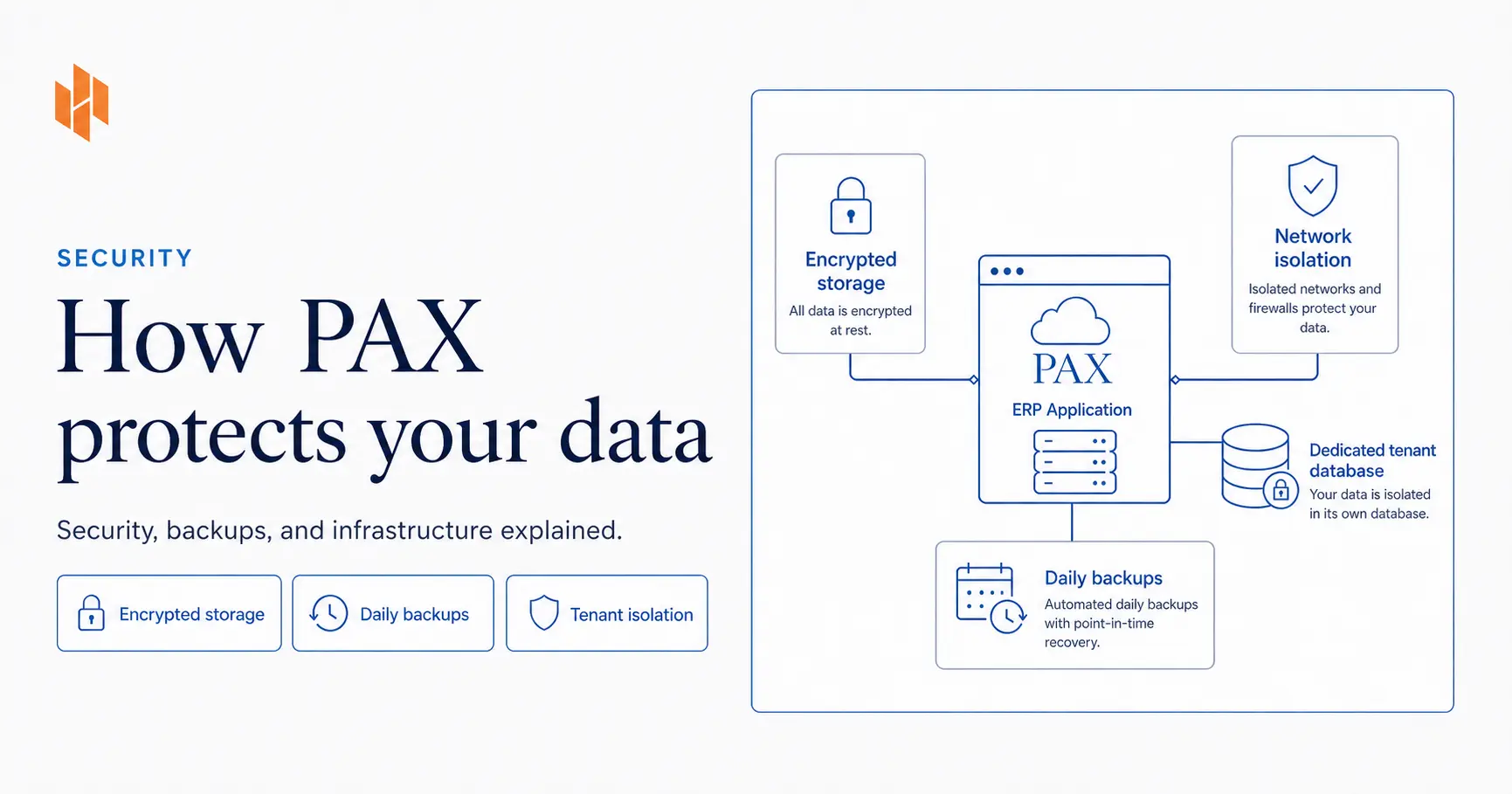
Your data is encrypted at rest using AES-256 encryption through AWS Key Management Service. That means even if someone physically stole a disk from an AWS data center, they could not read your data. Every automated backup and snapshot inherits that same encryption automatically.
How Authentication Works
This is where PAX does something most small-business ERPs skip entirely.
We use AWS IAM authentication for database connections. In plain English: our application never stores a static database password. Instead, it requests a short-lived token from AWS every 12 minutes. That token works for 15 minutes and then expires.
Why does this matter? If someone somehow intercepted a database credential, it would stop working within minutes. Compare that to a traditional setup where one leaked password gives permanent access until someone notices and rotates it manually.
On top of that, our master database password is managed by AWS Secrets Manager with automatic rotation every 14 days. We do not have a sticky note with a database password on it. Nobody does. The system rotates it automatically on a schedule, and we can verify the last rotation date anytime.
Backups: What Actually Happens Every Night
AWS takes an automated snapshot of our database every single day. Right now we retain those snapshots for 14 days. That means if something goes wrong today, we can restore to any specific day within the last two weeks.
But daily snapshots are only half the story. RDS also continuously backs up transaction logs. This gives us point-in-time recovery, which means we can restore your database to any specific second within that 14-day window. Not just “last Tuesday,” but “last Tuesday at 2:47:13 PM.”
Our backup window runs at 6:00 to 6:30 UTC, which is 2:00 AM Eastern. System maintenance happens on Saturdays at 5:00 UTC, about 1:00 AM Eastern. We scheduled these during off-hours so backups and maintenance never compete with your workday.
We currently run a single database instance rather than a Multi-AZ (multi-availability-zone) deployment. Multi-AZ keeps a standby copy of your database in a separate data center and automatically fails over if the primary goes down. It also roughly doubles the database cost. For small manufacturers running PAX, that tradeoff does not make sense yet. A few minutes of downtime during a rare hardware event is a reasonable trade to keep PAX costs accessible.
Network Security
Your database is not accessible from the internet.
We disabled the public access gateway on our RDS instance. The only thing that can talk to your database is our application server, and that connection is locked down by AWS security groups that act as a firewall.
Our web traffic goes through Cloudflare with full strict SSL. That means the connection is encrypted from your browser to Cloudflare, and again from Cloudflare to our server. We use Cloudflare's origin certificates on our servers so there is no gap in encryption at any point.
Multi-Tenant Isolation
PAX is a multi-tenant system. That means multiple companies can run on the same infrastructure. If you are a small manufacturer, you might wonder: is my data mixed in with someone else's?
Each tenant gets their own dedicated PostgreSQL database. Not a shared database with a “company_id” column. A completely separate database with its own credentials. When your request hits our server, middleware identifies your tenant and routes you to your specific database. There is no scenario where a query from one tenant returns data from another.
We chose this approach because it is the most secure form of multi-tenancy. It costs more to operate than a shared-database model, but for an ERP system holding financial and inventory data, we think the isolation is worth it.
Deployment and Change Management
We run multiple completely isolated environments, with development and production being the primary ones. They have separate databases, separate application servers, separate webhook endpoints, and separate secrets. A bug in our development environment cannot touch production data.
Every code change follows the same path:
- Changes go to our development branch and deploy to a demo environment automatically.
- We test on the demo environment with real workflows.
- Only after verification do changes merge to the production branch.
- Production deployment happens automatically through a webhook that verifies a cryptographic signature before pulling any code.
That webhook signature verification matters. It means even if someone knew our webhook URL, they could not trigger a fake deployment without the secret key.
Monitoring
We use AWS Performance Insights to monitor database health, which helps us catch slow queries or unusual load patterns before they become problems. Application logs are accessible in real time through our PM2 process manager, so we can respond quickly if something looks off.
What is Next as PAX Grows
As our customer base grows and the demands on our infrastructure increase, we have a clear roadmap for scaling our security and reliability:
Multi-AZ deployment. Automatic failover to a standby database in a separate AWS availability zone. This reduces downtime risk during many hardware events and is the next major infrastructure upgrade on our list.
Enhanced Monitoring. OS-level metrics at one-second granularity. Standard monitoring works well for our current scale, but enhanced monitoring will let us diagnose edge-case performance issues faster as query volume increases.
Cross-region backup replication. Copying backups to a second AWS region for protection against region-level outages. These events are extremely rare, but as more manufacturers rely on PAX daily, that extra layer of redundancy becomes worth it.
We build infrastructure ahead of demand, not after something breaks. These upgrades are planned, budgeted, and will roll out as PAX scales.
Is This Enough for a Small Manufacturer?
In our experience, yes. The security setup we run today, with IAM authentication, encrypted storage, daily backups with point-in-time recovery, network isolation, and tenant-level database separation, exceeds what most small manufacturers have in place with on-premise servers or spreadsheet-based systems.
That said, if you are in a regulated industry that requires specific compliance certifications (SOC 2, HIPAA, ITAR), PAX is not there yet. Those certifications are on our roadmap as we grow.
For small manufacturers who need a modern, secure system to manage inventory, purchasing, sales, and production without the six-figure price tag? That is exactly where PAX fits.
Questions?
If you want to know more about how PAX handles your data, just ask. We will show you the same level of detail we shared in this post. And if you are evaluating ERP systems and are not sure whether PAX makes sense for your shop, reach out. We will tell you honestly whether PAX is the right fit, or whether something else would serve you better.
Written by
Matthew Obey
April 1, 2026
Have questions about how PAX handles your data?
Ask us anything about our security, infrastructure, or backups. We'll give you the same level of detail we shared here.