On Hand, On Order and Available: Reading Inventory Numbers in PAX
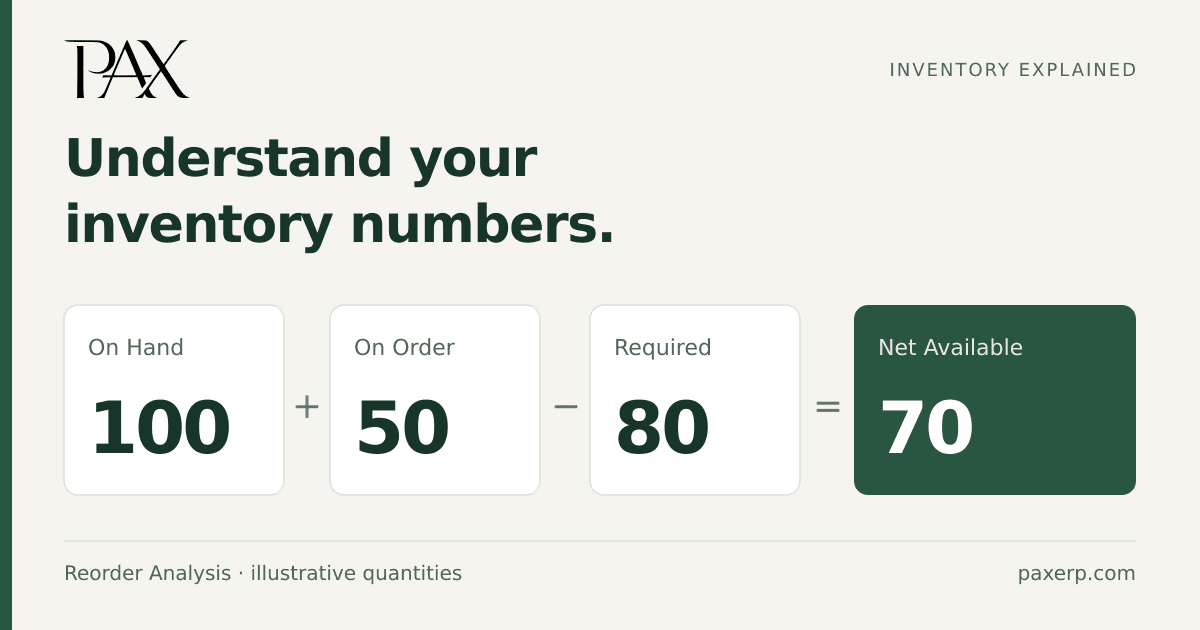
On Hand and Available can show different quantities for the same part without either number being wrong. One shows recorded stock. The other takes supply and demand into account.
The quantities in the Parts screen
Go to Dashboard > Inventory > Parts. The Parts screen shows four quantity fields:
| Field | What it means |
|---|---|
| On Hand | The current recorded quantity, in the part's stocking unit of measure. |
| On PO/WO | Quantity on purchase orders or work orders. This includes supply being purchased or manufactured, rather than only stock already on hand. |
| On SO | Quantity required by sales orders. |
| Available | Quantity available after supply and demand are considered. Read it alongside the order quantities, rather than treating it as a physical count. |
The unit of measure belongs with the number. A quantity of 100 means 100 of the part's stocking unit, not necessarily 100 individual pieces.
Net Available in Reorder Analysis
Reorder Analysis, under Inventory > Reports, helps review purchased parts for replenishment. It uses this calculation:
Net Available = On Hand + On Order − Required
Here, On Hand totals the quantity across lots. On Order is the quantity on order, and Required is the report's required quantity.
For example, report values of 100 On Hand, 50 On Order and 80 Required give 70 Net Available. That doesn't mean there are 70 on the shelf. The recorded stock is still 100, and the calculation includes 50 on order.
The report compares Net Available with the Reorder Point saved in item setup. If Net Available is below that point, Reorder? shows yes. Order Qty is the standard order quantity from item setup. Running the report doesn't create a purchase order.
For manufactured-part planning, the Work Order Planning report uses AVAIL for the same On Hand + On Order − Required calculation. Running this report doesn't create work orders.
Keeping the quantities useful
When an inventory purchase arrives, posting the receipt updates on-hand stock and reduces the quantity on order. Issuing materials to a work order reduces the selected component inventory's on-hand quantity.
PAX's inventory guidance calls for receipts, shipments and manufacturing activity to be recorded through their respective workflows. If those entries lag behind the physical work, the reports will lag too.
If a physical count disagrees with On Hand, review the transactions and use the appropriate count or adjustment workflow for a genuine discrepancy. If On Hand differs from Available, first check the supply and demand figures. Changing the stock quantity just to make the two numbers match can create an inventory error.